Project settings
Each project has its own Settings page, the last item in the project’s menu. The owner and admins open it. Members do not see it.
The page has seven tabs. The chosen tab is in the page’s address, so a link can open a tab directly. A new project opens on Install. Links elsewhere in the dashboard open the right tab, such as “Source maps settings” under a stack trace, or “Choose the main goal” on the overview.
| Tab | What it holds | More |
|---|---|---|
| Install | The tracker snippet and the public key to copy, Copy setup prompt for a coding agent, whether events arrive, and the Heatmaps setting. | Add the tracker, Heatmaps |
| General | The project’s name, its allowed sites, how long it keeps events, and its main goal. | Below |
| Your server | The secret key, and the switch that accepts only user IDs signed by your server. | Signed user IDs, Server-side events |
| Spam and bots | Ignoring visits from data centers, blocked addresses, blocked referrers, and deleting spam visits. | Spam and bots |
| Source maps | The releases with source maps, their files and sizes, and how to upload. | Source maps |
| Session replay | Off or Around errors, and the project’s stored replays. | Turn on session replay |
| Danger zone | Replacing the keys, and deleting the project. | Below |
Each form on these tabs has its own Save bar and follows the save rule. Save stays disabled until you change something, Discard undoes your edits, a tab with unsaved edits shows Unsaved, and leaving the page with unsaved edits asks first. On the Install tab, only the Heatmaps section is a form. The Danger zone has no form.
General
Section titled “General”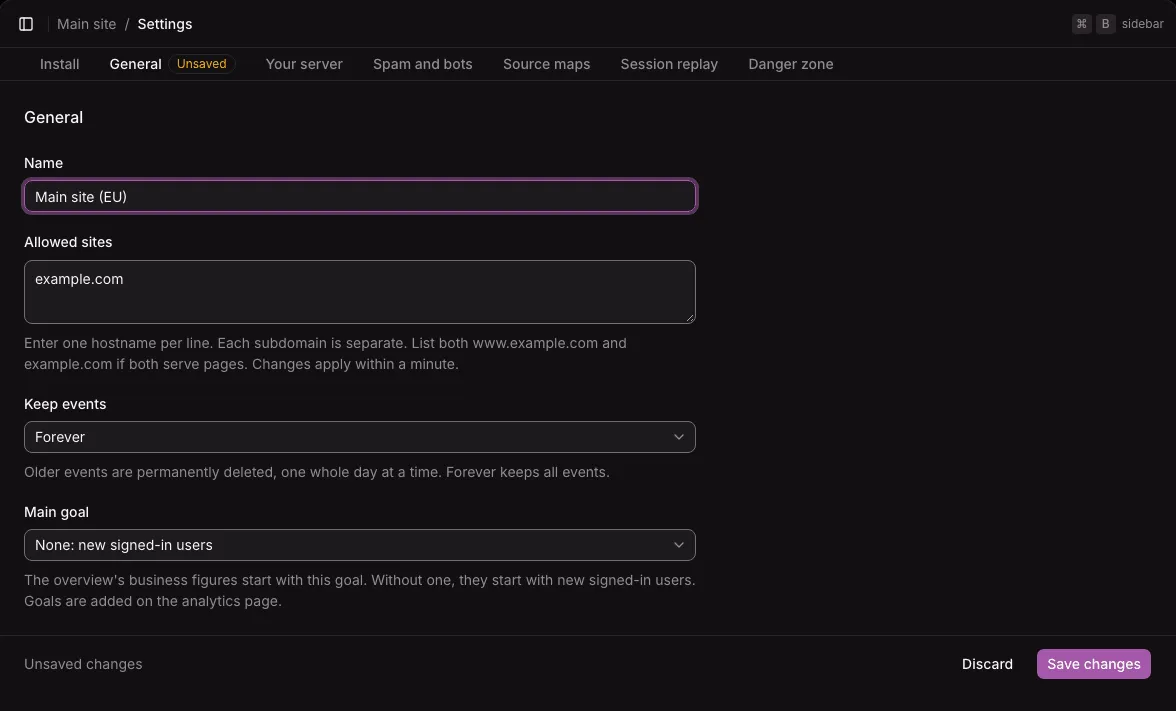
- Name: the project’s name in the sidebar and the project switcher.
- Allowed sites: one hostname per line. The instance accepts events only from pages on these hostnames, compared exactly.
example.comandwww.example.comare separate entries, and there are no wildcards. You can paste a full address: the form keeps only its hostname. A change applies within a minute. Open on your site, on the Heatmaps report, opens pages on these hostnames too. - Keep events: Forever (the default), 6 months, 1 year, 2 years, or 5 years. When you choose a shorter time than before, the form says before you save that older events will be deleted for good within a few hours. Heatmap data is kept 90 days, whatever this setting.
- Main goal: the goal that the overview starts its business figures with. Without one, the overview starts with new signed-in users. Goals are added on the web analytics report. See Goals.
Select Save changes to save the tab.
Danger zone
Section titled “Danger zone”The Danger zone holds three changes that cannot be undone. Each one asks for confirmation first.
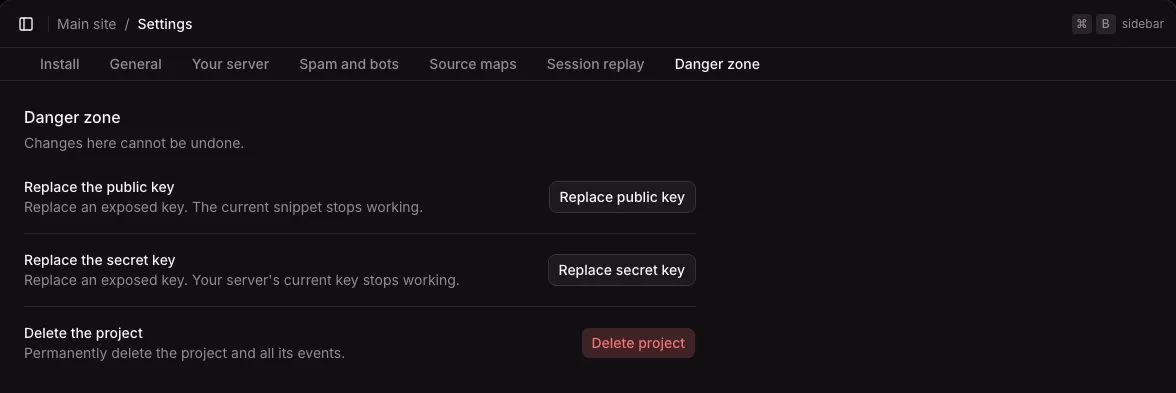
| Action | What happens |
|---|---|
| Replace public key | The project gets a new public key and keeps its data. Pages with the old snippet can no longer send events, so put the new snippet on your site right after. The Install tab shows it at once. |
| Replace secret key | Servers that use the old secret key are refused at once, and user IDs signed with it no longer count. Give your servers the new key. |
| Delete project | Deletes the project and every event it has received. Type the project’s name to confirm. Its reports cannot be opened from that moment, and the instance deletes its events from the database within a minute, and from the disk usually within 6 hours. |
Deleted events can stay in your backups until you delete those backups.